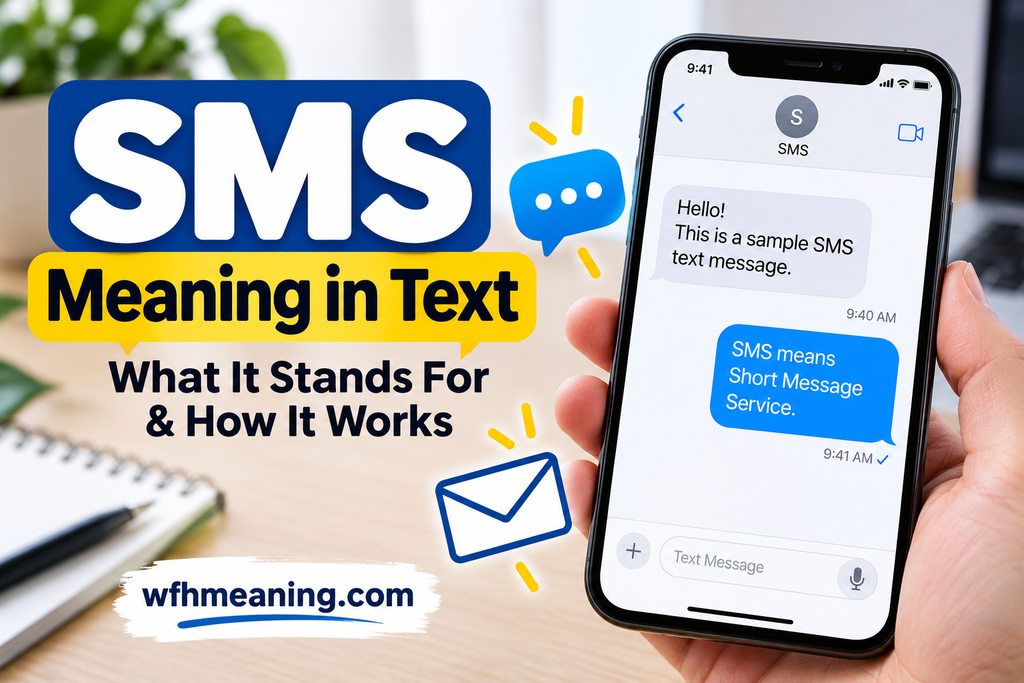
SMS stands for Short Message Service. It’s the technology behind traditional text messages sent through a mobile carrier. When someone says, “Send me an SMS,” they’re simply asking you to send a text to their phone.
Although people often use “SMS” and “text message” interchangeably, not every message you send from your phone is technically an SMS.
What Does SMS Mean in Text?
In texting, SMS means Short Message Service, a system that allows mobile phones to exchange short written messages using cellular networks.
Unlike abbreviations such as LOL or BRB, SMS isn’t an expression people use to describe feelings or reactions. It’s the name of a communication service.
For example, imagine your friend says:
“Text me when you get home. Just send an SMS.”
They’re asking for a regular phone text, not necessarily a message through WhatsApp, Instagram, or another internet-based app.
SMS is also widely used for appointment reminders, delivery notifications, account alerts, and verification codes.
What Does SMS Stand For on Your Phone?
When your phone displays “SMS,” it’s usually identifying the type of messaging service being used.
You might see the term in your messaging app, phone settings, or a notification from a company.
Here’s what a few common messages mean:
- Sent as SMS: Your message was sent using the carrier’s text-messaging service.
- SMS received: A traditional text message has arrived.
- SMS verification: A service is using a text message to send you a verification code.
- Switch to SMS: Your phone or messaging app may be offering a different delivery method because another messaging service isn’t available.
The exact wording depends on your device, app, and mobile carrier.
How Does SMS Work?
SMS sends short written messages through a mobile carrier’s network.
When you type a message and press Send, your phone passes it to your carrier’s messaging system. That system routes the message toward the recipient’s phone.
You don’t need to open a separate social media account or install a special internet messaging app.
How many characters can an SMS contain?
A standard single SMS segment using GSM-7 encoding can hold up to 160 characters.
However, that isn’t a universal limit for every message.
- 160 characters: The typical maximum for one GSM-7 SMS segment.
- 70 characters: A common single-segment limit when UCS-2 encoding is required.
- Long messages: These may be split into multiple segments and combined into one conversation message on supported phones.
Certain characters, including some emojis and special symbols, can change the encoding and reduce the number of characters that fit in one segment.
For everyday users, the important point is simple: you can often send a long text, but the carrier may process it as multiple SMS segments.
6 Everyday Examples of SMS Messages
The easiest way to understand SMS is to see how people use it.
1. Texting a friend
“Send me an SMS when you arrive.”
Meaning: Your friend wants a standard text confirming that you’ve reached your destination.
2. Getting an appointment reminder
“Reminder: Your dentist appointment is tomorrow at 10 AM.”
Meaning: The dental office is using text messaging to remind you about your appointment.
3. Receiving a verification code
“Your verification code is 482913.”
Meaning: A service has sent a temporary code to your phone number. The code in this example is fictional.
4. Getting a delivery update
“Your package is out for delivery.”
Meaning: A delivery service is notifying you by text. Before opening any included link, make sure the message is legitimate.
5. Receiving a work reminder
“Your shift starts at 8 AM tomorrow. Please confirm.”
Meaning: Your workplace is using a mobile message to share scheduling information.
6. Switching from RCS to SMS
“Couldn’t send as RCS. Send as SMS instead?”
Meaning: Your messaging app is offering traditional text messaging because the RCS connection isn’t available. Some advanced messaging features may no longer work for that message.
These examples show why SMS remains useful for quick updates, reminders, and simple communication.
SMS vs. MMS vs. RCS: What’s the Difference?
SMS, MMS, and RCS are different messaging services. They can appear inside the same phone app, but they don’t offer identical features.
| Feature | SMS | MMS | RCS |
| Full name | Short Message Service | Multimedia Messaging Service | Rich Communication Services |
| Main purpose | Short text messages | Multimedia messages | Enhanced messaging |
| Text messaging | Yes | Yes | Yes |
| Photos and videos | Not as native attachments | Yes | Yes |
| Typing indicators | No | No | Generally supported |
| Read receipts | Not standard | Not standard | Generally supported |
| Network | Carrier messaging service | Carrier multimedia messaging service | Wi-Fi or mobile data |
Which one should you use?
SMS is useful for short, straightforward texts when traditional carrier messaging is available.
MMS supports pictures, videos, and other multimedia content, although file-size restrictions may apply.
RCS offers a more interactive experience, including higher-quality media, typing indicators, and read receipts where supported.
RCS availability, features, and encryption depend on the devices, messaging apps, and carriers involved.
Is SMS the Same as a Regular Text Message?
Not exactly.
SMS is a specific type of text messaging. However, people often call almost any short written phone message a “text.”
For example, these are all messages you might casually call texts:
- An SMS sent through your mobile carrier.
- An iMessage sent between Apple devices.
- An RCS message sent through a compatible messaging app.
- A WhatsApp message sent using an internet connection.
Technically, those services work differently.
If someone asks you to “send a text,” they usually care more about receiving your message than which technology delivers it.
But when your phone specifically identifies a message as SMS, it’s referring to the underlying messaging service.
Does SMS Work Without Wi-Fi or Internet?
Yes. Traditional SMS does not require Wi-Fi or a mobile internet data connection.
It uses your carrier’s messaging infrastructure rather than relying on an internet-based messaging service.
However, your phone still needs access to a suitable carrier service.
If you have no usable cellular service, ordinary SMS delivery may fail, even when your phone can connect to Wi-Fi. Carrier-supported alternatives, such as messaging through Wi-Fi calling, may work in some situations.
This is one reason SMS differs from WhatsApp and many other messaging apps, which rely on internet connectivity.
SMS charges also depend on your carrier and plan. Some plans include unlimited texts, while others may have restrictions or additional charges.
What Does SMS Mean on iPhone and Android?
SMS means the same thing on both devices: Short Message Service. The difference is how each phone’s messaging app handles it.
SMS on iPhone
Apple’s Messages app supports multiple messaging methods, including iMessage, RCS, and SMS/MMS.
Generally:
- Blue bubbles indicate iMessage.
- Green bubbles indicate RCS or SMS/MMS.
A green bubble does not automatically mean a message was sent as SMS. It might have used RCS or MMS.
SMS on Android
Android phones can send traditional SMS messages, while compatible apps and carriers may also support RCS.
In Google Messages, the message field or sending indicator can help identify whether a conversation is using RCS or traditional SMS/MMS.
If RCS becomes unavailable, your app may offer SMS as an alternative, depending on its settings.
Neither iPhones nor Android phones are limited to SMS alone.
What Is an SMS Verification Code?
An SMS verification code is a temporary code delivered to your phone number through text messaging.
You may receive one when:
- Signing in to an online account.
- Confirming your phone number.
- Resetting a password.
- Verifying a financial transaction.
- Completing a security check.
These codes are commonly called one-time passwords, or OTPs.
For example, a website might display:
“We’ve sent a six-digit verification code via SMS.”
That means you should check your phone’s text messages for the code.
Security reminder: Never share a verification code with someone who unexpectedly asks for it. If you receive a code you didn’t request, avoid entering it into unfamiliar websites or sending it to another person.
Traditional SMS is not end-to-end encrypted, so security-sensitive services may offer other verification methods as well.
Frequently Asked Questions
What is the full form of SMS?
SMS stands for Short Message Service. It’s the technology used to send traditional text messages through mobile carrier networks.
Does SMS mean text message?
In everyday conversation, yes. People frequently use SMS to refer to a regular text message. Technically, SMS is one particular messaging service.
Is SMS free?
It depends on your mobile carrier and plan. Some plans include unlimited SMS messages, while others charge for certain texts, especially international messages.
Can SMS work without internet?
Yes. Traditional SMS can work without Wi-Fi or mobile internet data, provided your phone has access to a suitable carrier messaging service.
Can you send photos through SMS?
Standard SMS doesn’t support native photo attachments. Your phone may use MMS, RCS, iMessage, or another service to send pictures.
Is SMS the same as WhatsApp?
No. SMS is a carrier-based text-messaging service, while WhatsApp sends messages using an internet connection.
Final Thoughts
SMS means Short Message Service, the familiar technology behind traditional mobile text messages.
Whether you’re confirming an appointment, texting a friend, or receiving a verification code, SMS provides a straightforward way to communicate through your mobile carrier.
Just remember that SMS isn’t the same as every message on your phone. Services such as MMS, RCS, iMessage, and WhatsApp use different technologies and offer different features.